The Connect AUX-2 on a wooden sideboard between an amplifier, a speaker and a record

Old speakers.New tricks.

Home Assistant Connect AUX-2

Bring your classic audio equipment into your smart home with advanced control and Power over Ethernet.

Designed and manufactured by
Nabu Casa

Audio and so much more

Any device can be smart with the right tools. With Connect AUX-2, you can use your favorite devices longer and more efficiently. Take that classic hi-fi and sync it with your smart speakers, make your uninterruptible power supply or pool heater smart, or use Connect adapters via Power over Ethernet.

Whole home audio

Plug AUX-2 into classic audio gear to sync with modern smart speakers.

Advanced control

Gain deep control of your gear through serial or Modbus connectivity.

Flexible connection

Easily add Power over Ethernet or Wi-Fi to your ZWA-2.

Rock-solid Bluetooth

Connect smart home devices directly to Home Assistant.

The smart home multi-tool

Connect everything

Stream audio, control legacy devices over RS-232 serial, add sensors, and extend your Z-Wave network, all from one small box.
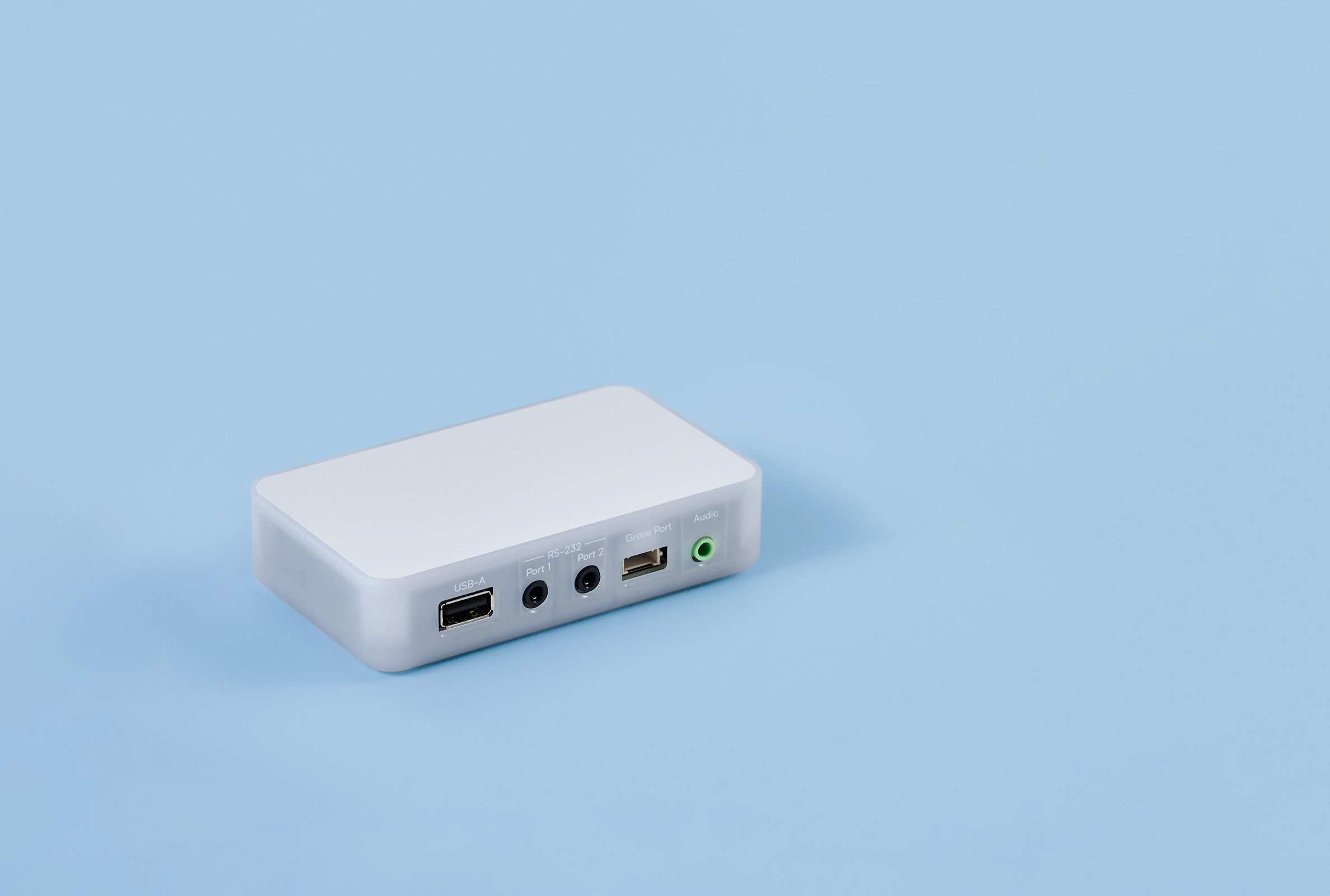
Connect your ZWA-2 and place it in the optimal location for better coverage.

Control devices that talk RS-232 with these two ports.

Add in- or output modules easily with the Grove port.

Analogue and digital via 3,5mm or SPDIF.

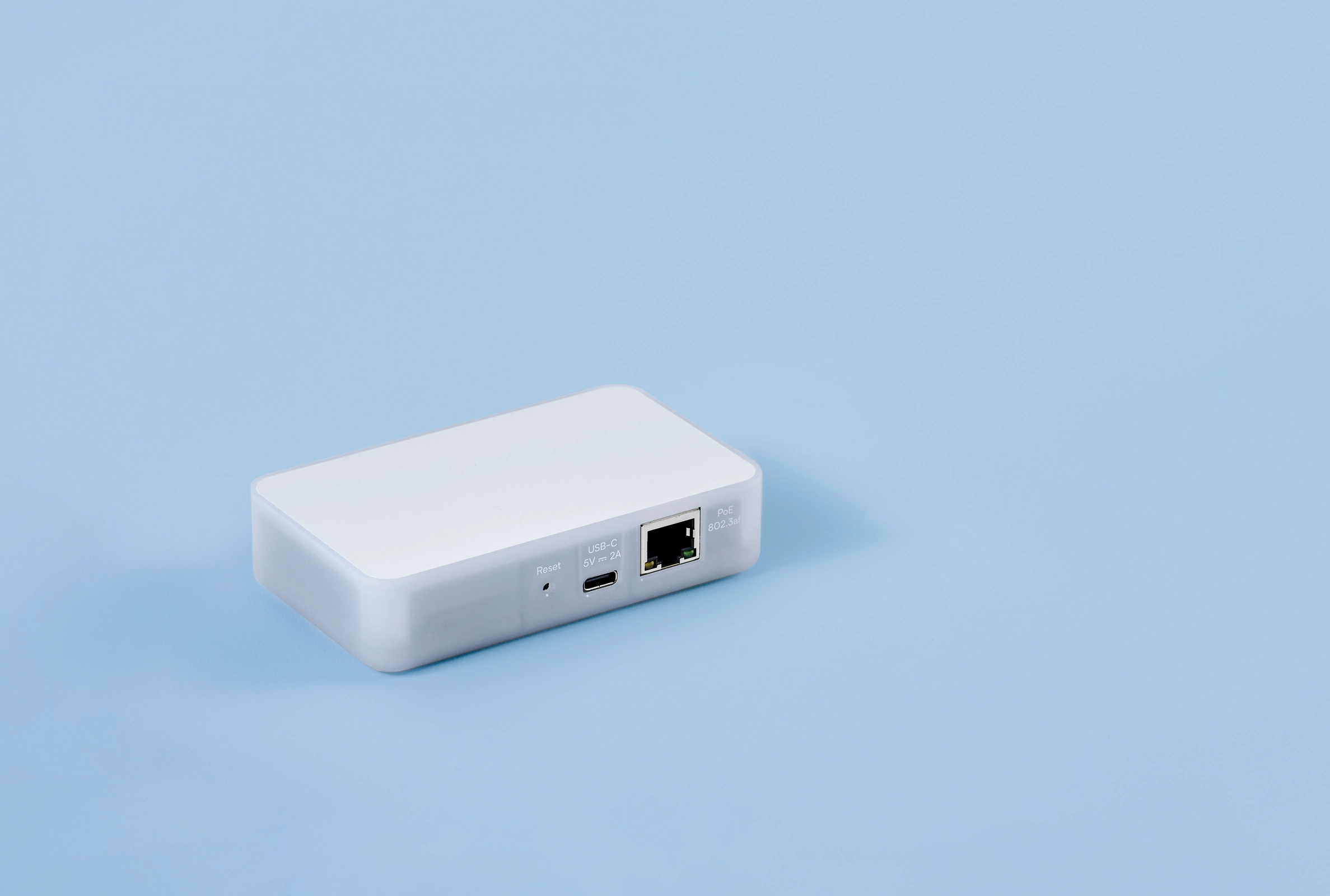
Power it from a 5 V USB-C power supply of 2 A or more.

Power and connect it with one cable from a PoE switch.

Incredible audio

Syncs old with new

Classic gear and modern smart speakers play in harmony.

Lossless sound

Choose a clean analog output, or CD-quality digital output.

Increased control

Get power and volume control by connecting an RS-232 serial cable.

Whole home audio with Sendspin

The open standard for a multi-room music experience.

Music Assistant ready

Seamlessly stream local files and streaming services.
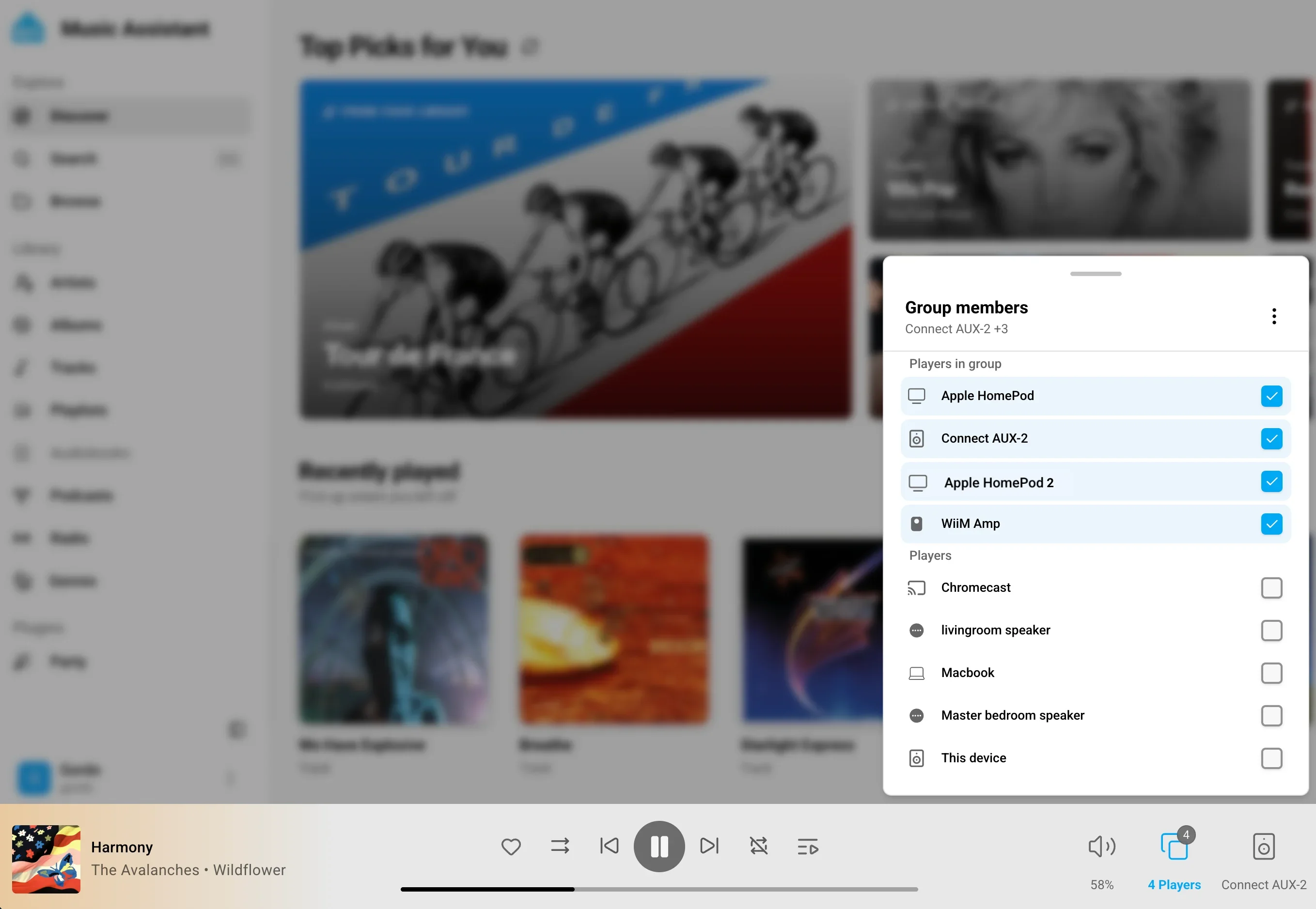
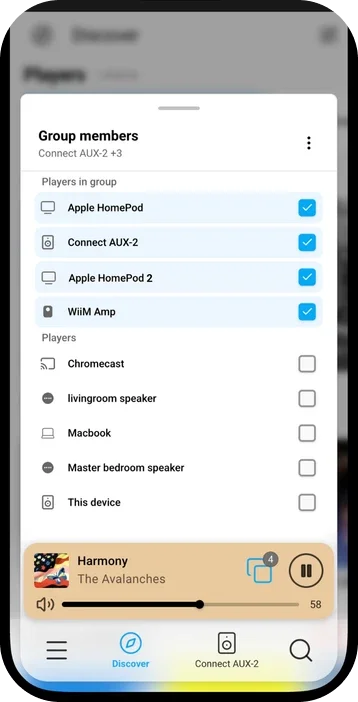
Music Assistant on a laptop, grouping the Connect AUX-2 with smart speakers
The same speaker group in Music Assistant on a phone

Deep control with serial

If your device has serial or Modbus, plug in AUX-2 for more powerful control.
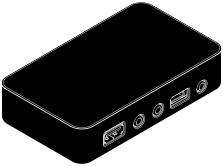
Two serial ports

Connect your receiver and TV with one device.

Use in low-power mode

Save energy and manage the device, even in standby.

Skip the spyware

Turn off your TV’s internet access so it can’t phone home, and instead control it with AUX-2.

Beyond AV

Speaks to other serial (RS-232) and Modbus (RS-485*) gear too, from HVACs, UPSs, to solar inverters. *RS-485 requires an additional USB adapter

Connect anywhere

Best spot in the house

Move your Z-Wave network wherever the signal is strongest.*

*Check your antenna for compatibility

The Connect AUX-2 with a Connect ZWA-2 antenna plugged into its USB port
The Connect AUX-2's circuit board with its Bluetooth antenna

Rock-solid Bluetooth

A dedicated antenna to add Bluetooth smart home devices into Home Assistant.*

*not for Bluetooth audio

Powerful options

Power and connect your way

Via Ethernet, USB-C, or Wi-Fi.

Yours to shape

Ready out of the box, or customize using ESPHome and additional Grove sensors.
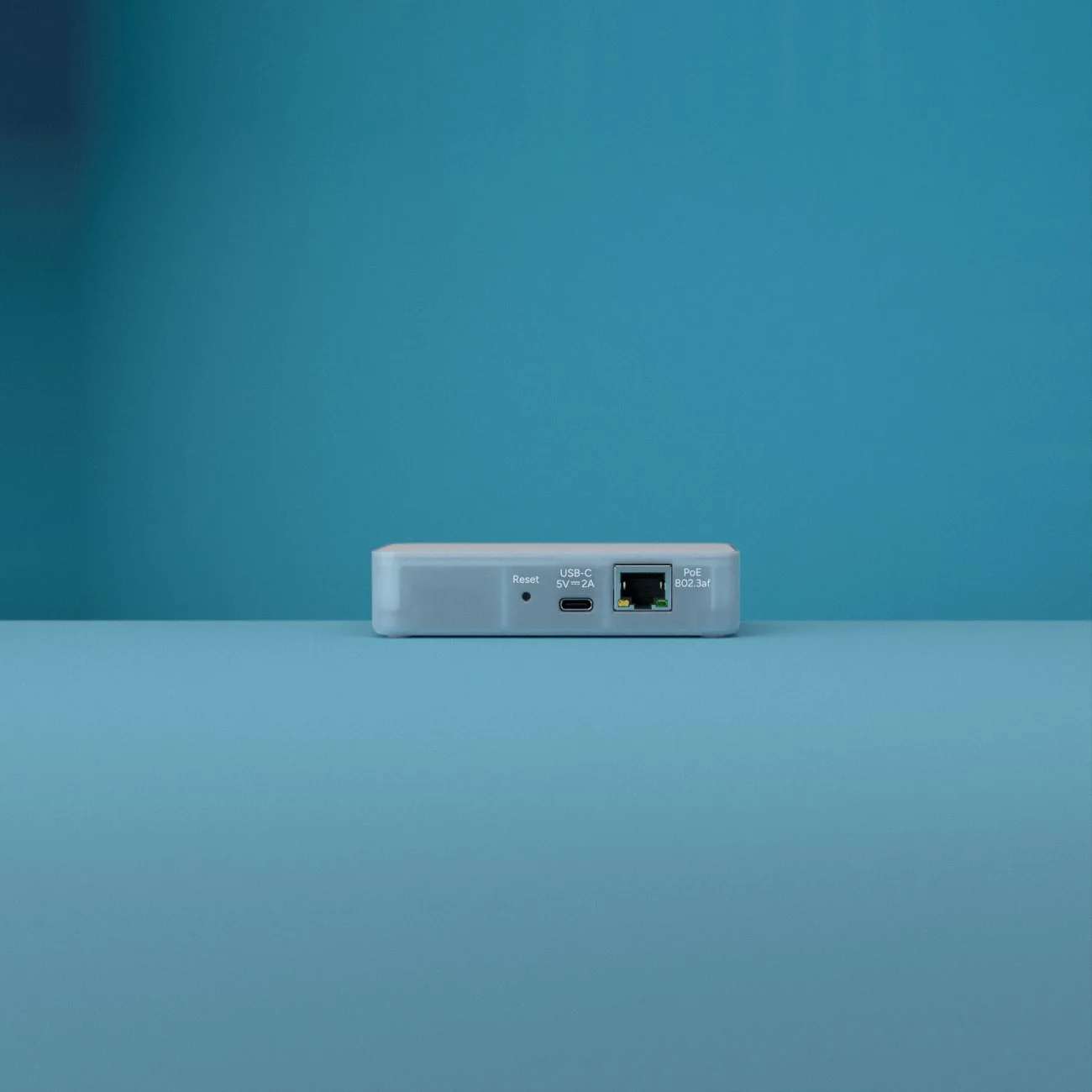
The back of the Connect AUX-2 with its reset button, USB-C power port and PoE Ethernet port

Make your old gear new today for just

$69/€59*

Buy now

* Recommended MSRP. USD prices exclude taxes, while EUR prices include applicable taxes. Prices differ between regions due to varying local market costs and conditions, and are subject to individual retailers.
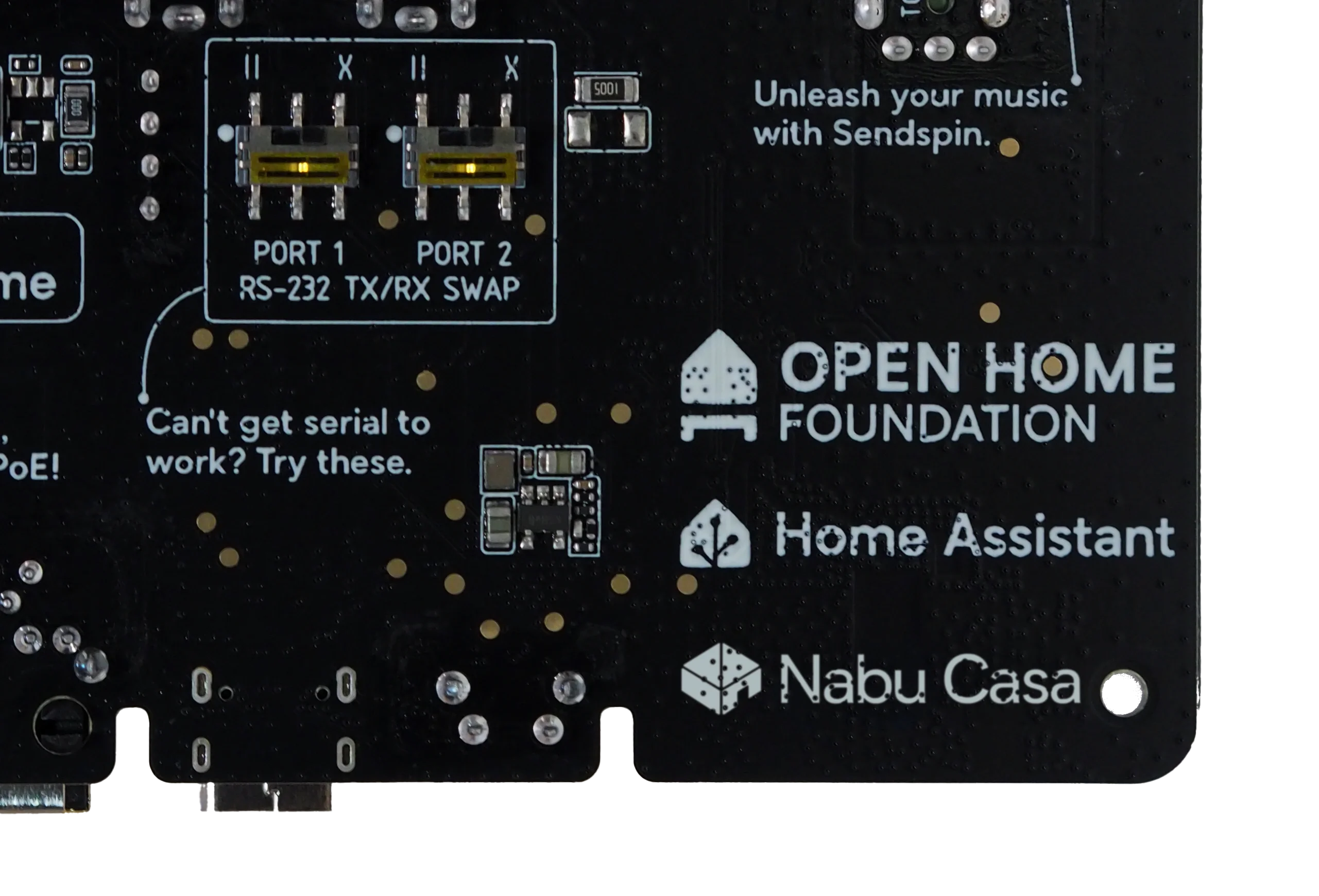

The back of the Connect AUX-2's circuit board, printed with the Open Home Foundation, Home Assistant and Nabu Casa logos

Nabu CasaOpen Home Foundation

Every purchase supports the Open Home

As a commercial partner of the Open Home Foundation, Nabu Casa contributes the majority of net profits from licensed Home Assistant products to supporting the foundation, and its projects like Home Assistant, ESPHome, and Music Assistant.

Specifications

Dimensions and weight

Device

106 × 63 × 25 mm
104 g

With box

110 × 72 × 28 mm
136 g

Material

Enclosure

Polycarbonate plastic

Colors

White and semi-transparent

Product details

SoCs

ESP32-S3

Digital-to-Analog Converter (DAC) chip

TI PCM5122
112 dB SNR

Power

USB-C
2A (or higher) / 5 V DC
Power-over-Ethernet (802.3af)

Audio

Connectivity
Combined optical (S/PDIF) and analog audio 3.5mm port*
(*only one at a time)
Analogue audio capabilities
16-bit/48kHz stereo
Digital audio capabilities
16-bit/48kHz stereo
Stereo PCM lossless audio
Synchronized whole home audio
Supported via Sendspin
Internal audio codec support
FLAC, MP3, and WAV

Serial

Serial ports (1 & 2)
3.5mm connector for RS-232
Example connectivity: consumer AV equipment, TVs, Pro AV equipment, UPS, climate controllers*
*Some devices may require converter cables (ex. DB9/RJ9/RJ11/MiniDIN)
TX / RX switches
Switch transmit and receive lines for Serial 1 and Serial 2 for extra compatibility
USB input
USB-A data for Connect ZWA-2 and RS-485 adapter

Connectivity

Wireless
Wi-Fi (2.4 GHz, 802.11b/g/n),
Bluetooth 5 (LE)
Wired
Power-over-Ethernet (802.3af),
Ethernet (*USB-C power required)

Software

Built for Home Assistant
Yes
Built on ESPHome
Yes
Unlocked bootloader
Yes, device firmware is built on ESPHome, and can be flashed with custom firmware.

Environmental conditions for operation

Indoor use only
0–65 °C (32–149 °F)

Humidity: non-condensing
Keep in a dry, not excessively dusty, environment to avoid damage to the unit.

Do not leave the unit in direct sunlight or near any heat source, as this can cause overheating.

In the box

Home Assistant Connect AUX-2
QuickStart guide
Warranty and Safety Information
Any questions?

Yes. Connect AUX-2 is built to be a native Home Assistant device to give you full local control and privacy. To take advantage of these benefits, you'll need to run Home Assistant 2026.9 or later to setup and manage your system, and it will be added to the ESPHome integration.

Set up Home Assistant Connect AUX-2

No. Connect AUX-2 has been designed to play music rather than receive it, so only has an audio output.

What Connect AUX-2 is and how it works

No. Audio plays only through the 3.5 mm audio output.

Specifications and resources

No. Audio setups vary widely, from 3.5 mm AUX and RCA to dedicated RS-232 serial connections. Buying cables separately lets you choose the exact length and connector type that fits your equipment. See In the box for what’s included.

What's in the box

No. It can only control serial devices that have an integration in Home Assistant.

Controlling devices over serial (RS-232)

Yes, but we recommend caution. This setup hasn’t been widely tested yet, and the setup guide is in the developer documentation. It works only with ZHA, not Zigbee2MQTT, and needs Home Assistant 2026.11 or later.

ZBT-2 setup guide (developer section)

No. Thread connectivity isn't planned for Connect AUX-2.

Specifications and resources

Music Assistant, which is free. It discovers Connect AUX-2 automatically as a Sendspin player.

Install Music Assistant

Any service that Music Assistant supports. Music Assistant plays from streaming services and from your own music files.

Music Assistant music sources

With any stereo, AV receiver, or powered speakers that have an auxiliary input. It doesn’t amplify, so unpowered speakers need an audio amplifier.

Play your streaming services on your stereo

Yes. Music Assistant can group speakers to play in sync, including AirPlay and some Sonos speakers.

Music Assistant groups

By USB-C (5 V, 2 A) or Power over Ethernet (802.3af or better), one source at a time.

Power and network options

Either one. Wi-Fi is 2.4 GHz only. Wired is recommended for the most reliable link.

Power and network options

Yes, if the receiver has an RS-232 serial port and a Home Assistant integration.

Control your TV and AV receiver from Home Assistant

Home Assistant Connect AUX-2

New product! Stock may be limited, and please be patient while our distributors' product pages go live.