Home Assistant Apps
Apps (formerly known as add-ons) allow you to extend the functionality around Home Assistant by installing additional applications.
This can be running an application that Home Assistant can integrate with (like an MQTT broker) or to share the configuration via Samba for easy editing from other computers. Apps can be configured via the Settings > Apps panel in Home Assistant.
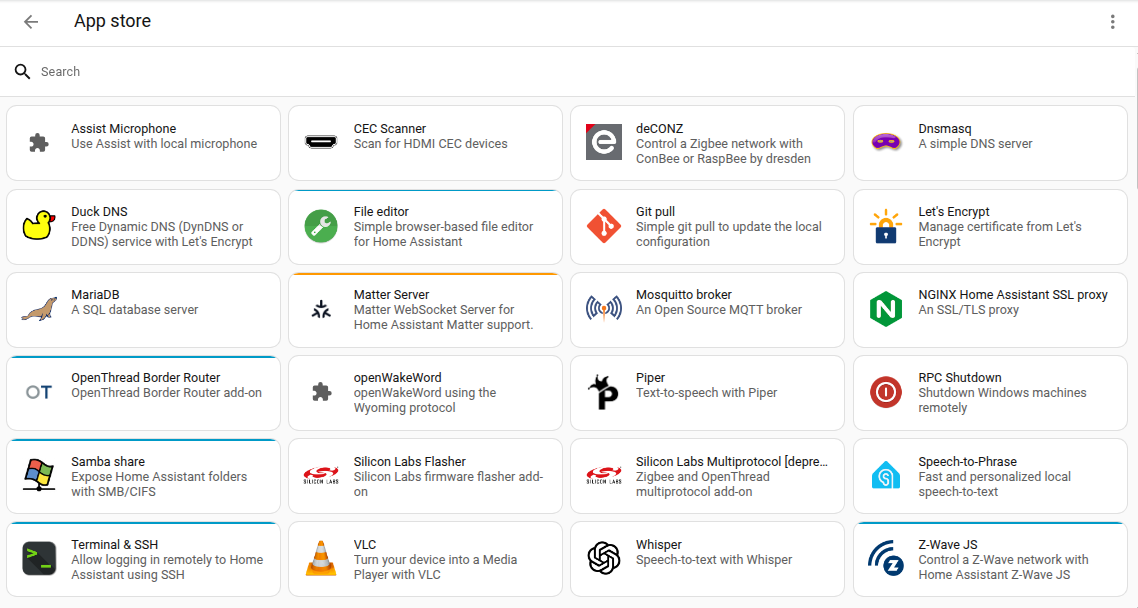 Apps for Home Assistant are freely available in the App store.
To install apps, in Home Assistant, go to Settings > Apps, and select Install app. All apps, including their documentation, are available right from the store. Some advanced apps will only be visible after you opt-in to "Advanced Mode" which can be changed on your user profile page. Click on an app you are interested in, to read the documentation or to install the app.
Check the Home Assistant forums for app repositories managed by the community.